top of page

Learning objectives

Connect a trezor to you computer

Enter the pin to access your wallets

View your wallet receive and send addresses

Confirm a send transaction


Connecting a trezor

Plug your trezor into the USB cable and connect it to your PC, you will see an image on your trezor device, this maybe different on your device. It can be changed in the settings.
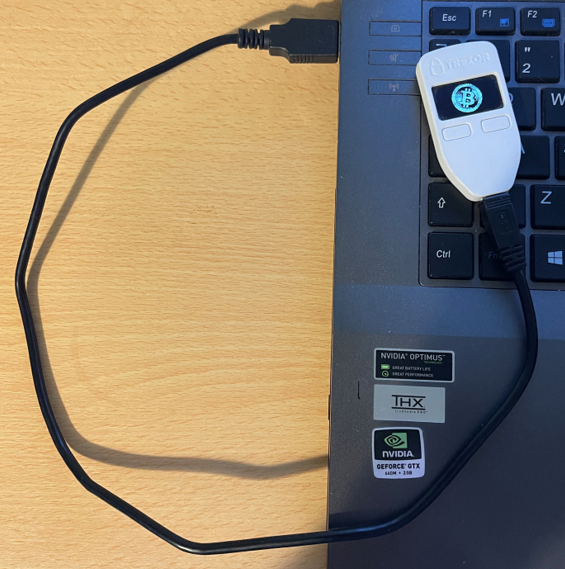

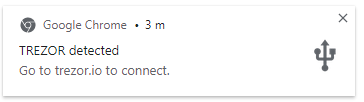
On my PC I have a window that is prompting me to visit trezor.io to connect.
The trezor.io site looks like this, correct at time of writing.


If you haven't updated or installed the desktop app, click the arrow and select the version required for your PC.


I am using a Windows 10 laptop so I will pick that installation file and install the software. You may need the administration password depending on how your system has been setup.


After the software has been installed it will be available from the Start menu


Click the button to launch the application, if you prefer you can use the web version instead using the Trezor Suite for Web link in the trezor.io website.


You will be prompted to enter your Pin, this would have been setup when you originally installed the Trezor from new. I will cover that in a later post.
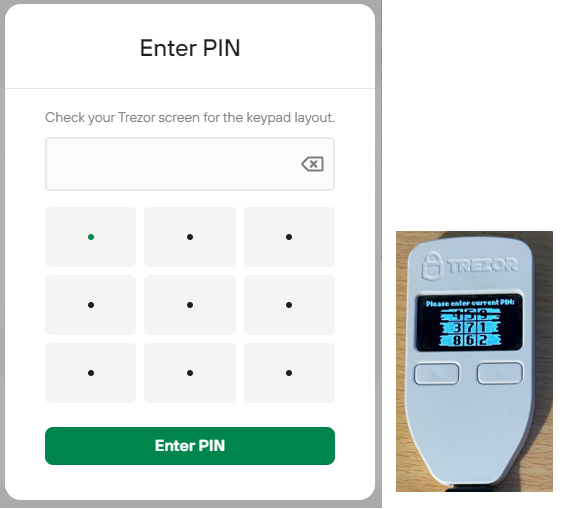


When you setup your trezor you would have entered a pin number to make accessing the accounts easier, you need to enter your pin using the position of the numbers on the trezor.


On your trezor will be displayed a nine box grid with the numbers 1 to 9 randomly displayed, you need to look at the trezor to find the position of the number and then click the same box position on the Enter PIN screen in order to gain access to your account.


When you have access to your trezor you can view your accounts

Receive Bitcoin


To Receive Bitcoin you need to provide the wallet address, either as the string of characters and numbers or a more convinient QR code that can be scanned to extract the address code.


Press the receive button, you may have to enter your PIN again when accessing this option.
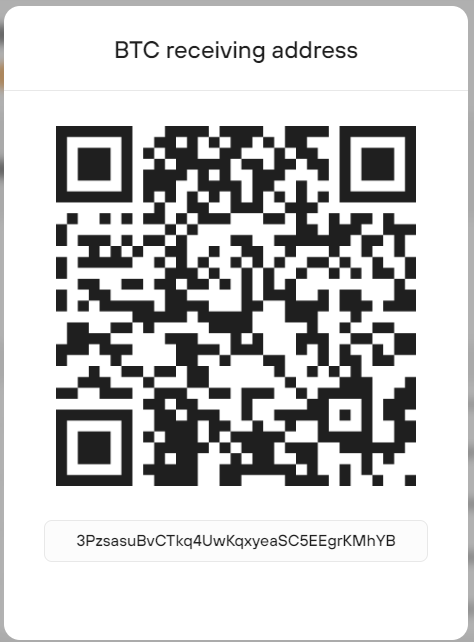
3PzsasuBvCTkq4UwKqxyeaSC5EEgrKMhYB


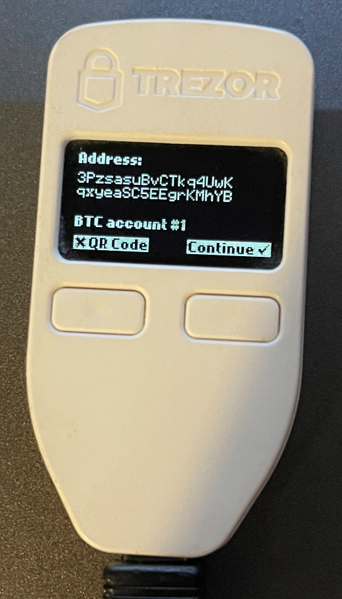
Check the code on the screen matches with the Trezor screen aswell.


Sending Bitcoin

If you wanted to send Bitcoin to another wallet then you click the Send button to display the following screen.
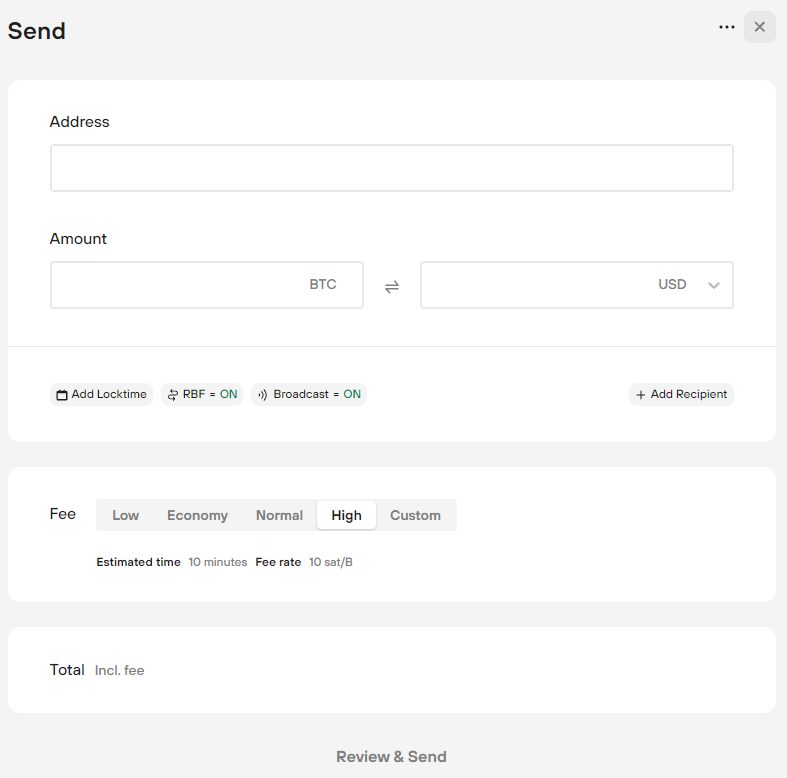


In the Address field, paste the receive address or scan the QR code of the person or company you want to send bitcoin to.

Enter the amount of bitcoin (BTC) to send, or enter the value in Dollars or other currency


You can send bitcoin to multiple addresses in the same transaction by clicking the Add Recipient button, doing this could save you on transaction fees.


Finally, you should select the Fee, this will govern how fast the transaction will be processed. High fee transactions are prioritized by the blockchain and will arrive faster but comes at a cost.


Low = Estimated time about 5 hours Fee rate1 sat/B

Normal = Estimated time about 1 hour Fee rate 6 sat/B

High = Estimated time10 minutes Fee rate 10 sat/B


After you have completed the form, you press Review & Send, this is where the trezor comes in as it will take the information you have provided and using software on the device allow you to review your request and digitally sign the transaction.


I will move a small amount of bitcoin to my Trezor and perform this Sending action so I can take a picture of the confirmation steps on the device.


Typical example will be buying bitcoin on an exchange or ATM, transfer the bitcoin to the Trezor hardware wallet to hodl (hodl is the term used to hold crypto).

Wait until the market price is high enough to make some profit then send the bitcoin back to the exchange to sell and send the funds to the bank, or send the crypto to a coinbase wallet and spend using thier pre-paid visa card.


Summary

We have connected our Trezor to a laptop

Installed the necessary software

Launched the Trezor Suite, connected the Trezor and entered our pin

Found our wallet receive address and confirmed the address on the trezor

Looked at the send screen for how to transfer bitcoin to another wallet


Next Steps

Load some bitcoin onto the Trezor and show and example of how to send.


Learning Outcomes

What is it like to find and use a bitcoin ATM

Research the potential fee we might be charged to buy bitcoin

Calculate how much bitcoin we could receive after paying the fee

Calculate the sell price to break-even after calculating the available bitcoin received


Find a bitcoin ATM

We have learned in a previous post about a site that lists the bitcoin ATM machines, the site we want to navigate to is: https://coinatmradar.com


When the site loads you will see a request for your local area, enter your city and click the glass icon


I am based in London, United Kingdom. So after entering London, this is what I found


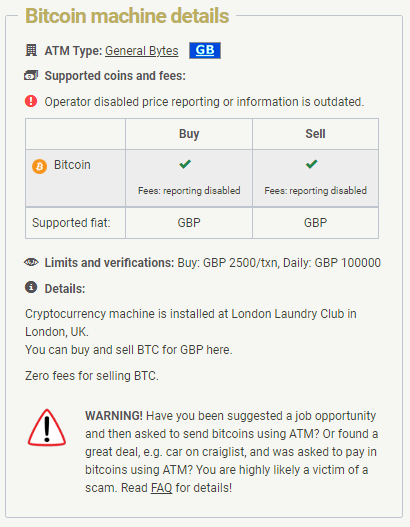
Our first option, London Laundry Club has the facility to buy and sell, it has a buy limit of £2500 per transaction with a daily limit of £100,000


Clicking the details button will show more information about the venue and the services they offer.


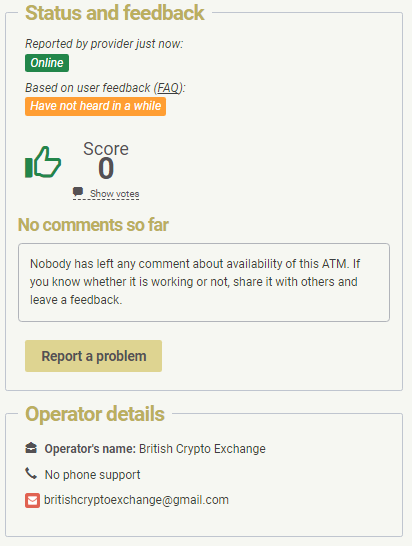
You should email the British Crypto Exchange to confirm the ATM device is operational

There is a business phone number for the London Laundry Club, call the number and check if the ATM is located on their premises and ask how frequently it is being used, to save a wasted journey.


The site doesn't provide any details of the fees to buy which is really what we want to know, to find out google came up with the statement below.

Lets do some calculations to estimate how much bitcoin we will receive based on the information above.


BTC Market rate: $41134


I have £100 to spend


£1 will buy $1.31 so our £100 would buy $131 this could fluctuate on the ATM when converting sterling to dollars.


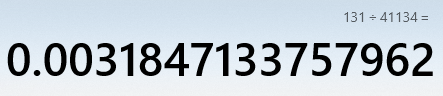
The formula is: funds / market rate


131 / 41134 = 0.00318471

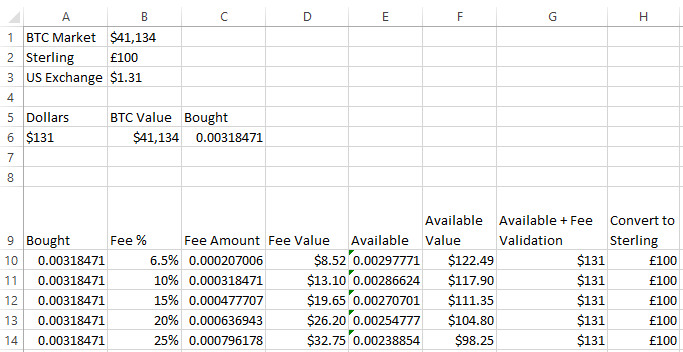
To calculate all the percentages I will move this to excel and prepare a table for better reference.

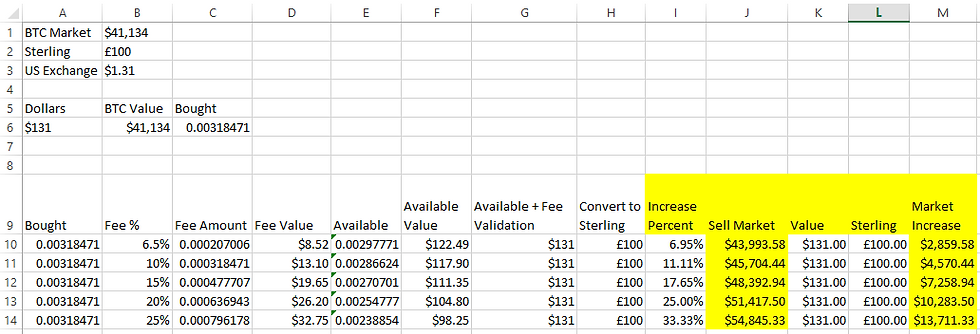
I have assumed the device will convert our £100 to dollars and have kept all calculations in dollars until the end when I convert back to sterling to prove the fee value and final available value adds up to our original £100.


As you can see from the table above, the fee's to use a bitcoin ATM can be very high.


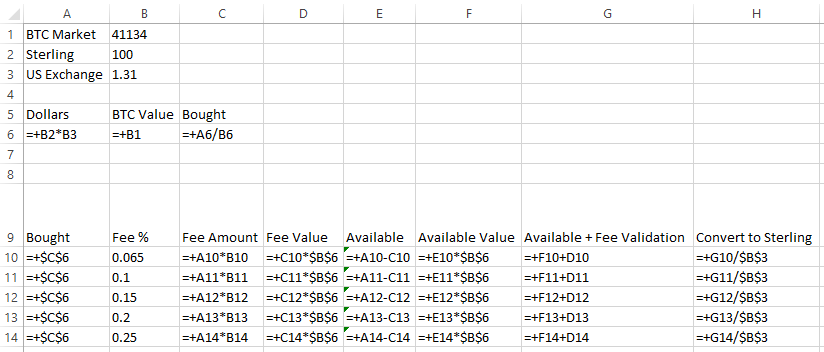
If you would like to replicate this in excel here are the formulas used in the above calculations.


Based on the figures above you may want to know what the Bitcoin price has to be in order to breakeven, you would then have to wait longer for the price to increase further to give you some profit.

Here are the formulas used in the above example


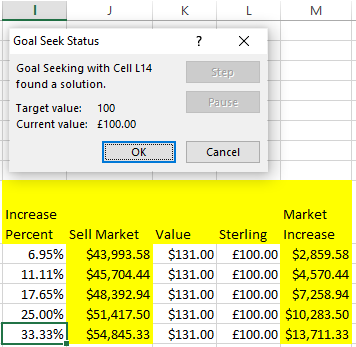
To calculate the increase percent we need in the bitcoin price I used the goal seek function in excel, use this after you have completed entering all the additional formulas above. Be sure to set the initial increase percent value to 0.001, the goal seek function will be changing that value to make the sterling price reach £100.


Excel finds a solution by incrementing cell I14 until cell L14 reaches £100.


The goal seek function can be found on the Data ribbon within the What If analysis functions.


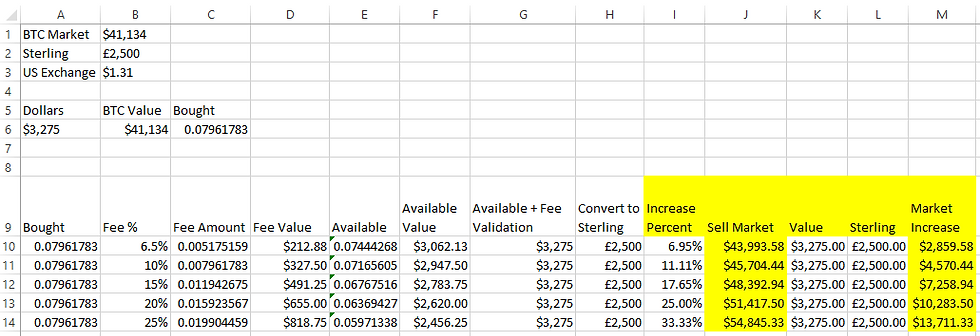
If we used the maximum transaction amount of £2,500 this is how the numbers would look: (you don't need to recalculate the Increase percent with the goal seek function, they will always stay the same)


You just change the following cells:


B1 = BTC Market rate

B2 = Sterling amount to spend

B3 = Dollar exchange rate


If you decide to change the Fee % in column B then you will need to run the goal seek function again to calculate the correct Increase Percent amount.

This exercise demonstrates what the potential fee could be based on the percent range estimates found on the web, a bonus was to include the calculation to find how much the bitcoin market price would need to increase so you could break-even.


Preparing to go checklist

  1. Call venue to check the Bitcoin ATM is operational and if anyone has used it today

  2. Withdraw cash from the bank

  3. Find parking nearby or tube / train station

  4. Take some laundry to support the venue

  5. Check the machine to see what the buy fee is

  6. Calculate how much bitcoin I will receive, decide how much if any to buy

Summary

We have found a local Bitcoin ATM, discovered a range of potential fee percentages and tabulated the amounts that could be charged. As a bonus we calculated the sell price percentage increase to be able to breakeven on the purchase of bitcoin.


Next Steps

I would like you to enter the details and formula into excel to play around with the different fee percentages and the required sell price increase to break-even. Also you should try and extend this to calculate the sell price so it will give you the profit you would like.


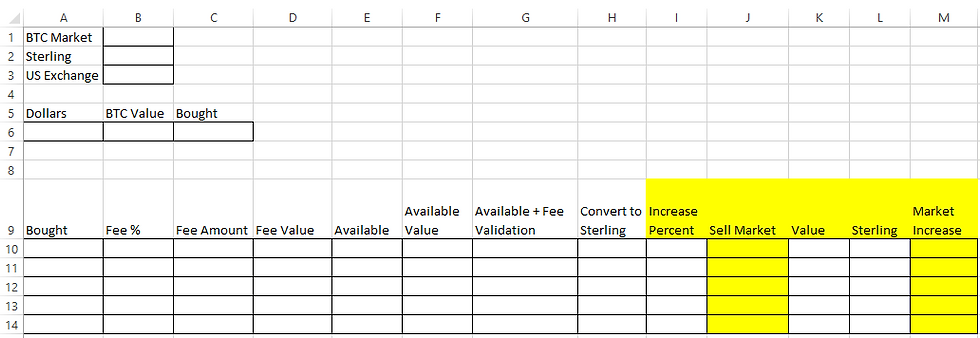
If you don't have access to excel, please use the blank sheet below to enter values and manually calculate the formulas using the examples above.


Bitcoin Advisor Ltd

©2013 - 2025 by Bitcoin Advisor Ltd. 

bottom of page